Cooked CTF 2025 Misc Challenge “Nightmare” Write-up
The description of the challenge says:
1
Two presences converge, one shrouded, one revealed. Which shadow must recede to illuminate the truth?
So according to the description we can say something is shrouded (hidden) in this file. Let’s first use the OG tool for working with multimedia files to analyze this video.
FFMPEG
It comes pre-installed in almost every Linux distro but you can install it with sudo apt install ffmpeg.
FFmpeg is a free and open-source software project consisting of a suite of libraries and programs for handling video, audio, and other multimedia files and streams. At its core is the command-line ffmpeg tool itself, designed for processing video and audio files. It is widely used for format transcoding, basic editing (trimming and concatenation), video scaling, video post-production effects, and standards compliance (SMPTE, ITU).
FFmpeg also includes other tools: ffplay, a simple media player, and ffprobe, a command-line tool to display media information.
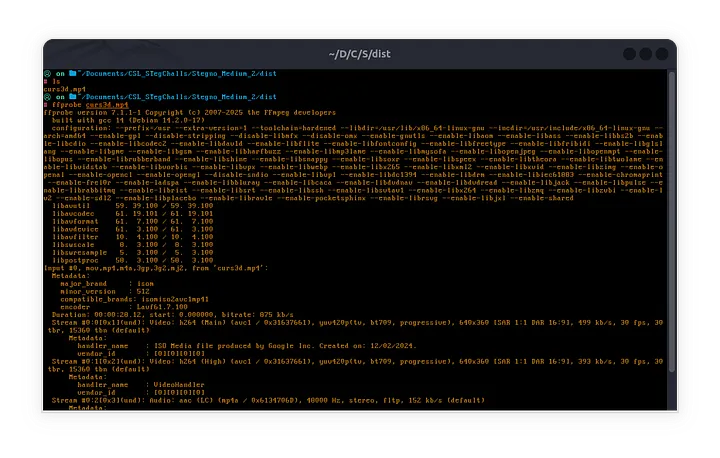
We will first use ffprobe to display it’s information.
A video file (like MP4) is like a container that holds two main things:
- Video Stream: The moving pictures (encoded as frames).
- Audio Stream: The sound (encoded as audio samples).
These streams are encoded separately using special tools (called codecs) to make them smaller and easier to store or stream. Then, they are combined into one file using a “container format” (like MP4, MKV, etc.). When you play the file, the video and audio streams are synchronized so everything looks and sounds right!
In short: Video + Audio → Encoded separately → Packed together → Played in sync. 🎥🔊
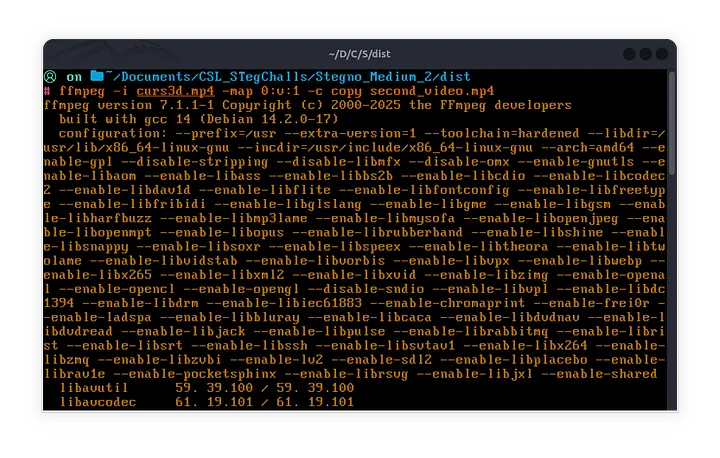
So according to our output we have 1 audio streams, and two video streams. So the second video stream could be the hidden one. To extract the hidden 2nd video stream:
1
ffmpeg -i curs3d.mp4 -map 0:v:1 -c copy second_video.mp4
Now when you watch the second video you will see that the flag is encoded in base64 and appears in 4 separate chunks in the subtitles throughout the video.
Piece together the chunks, decode the base64 encoding and you will get the flag ;)